
Most SaaS architecture advice reads the same. Choose multi-tenancy, design stateless APIs, add a caching layer, pick a cloud provider. All correct, and all useless until a real constraint shows up and forces your hand.
We learned this on a pig farm. While building EveryPig, a health and production platform now used by 1,550+ producers and veterinarians across the US, Canada, and Brazil, we hit a problem no whiteboard predicted: caregivers were submitting daily health check-ups from farms with no cell signal, in time zones behind the vet reviewing them. The reports showed the wrong date. For a tool built around real-time veterinary response, that broke the whole product.
That single constraint decided more architecture than any best-practices checklist could. And it taught us the lesson this guide is built on: the constraint chooses the architecture, not the other way around.
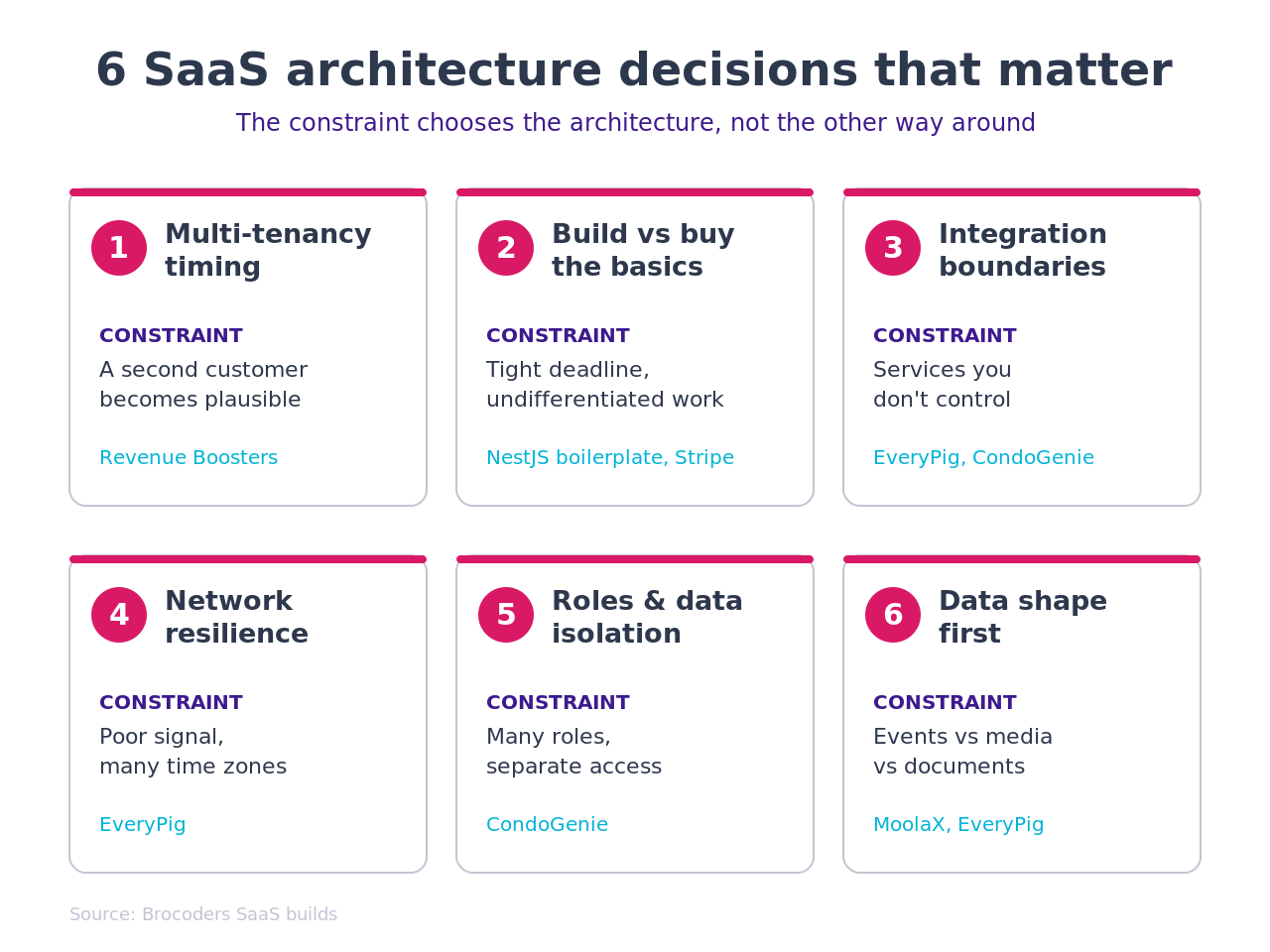
Below are six architecture decisions that actually decide whether a SaaS platform survives contact with real users. Each one comes from a build we shipped here in Brocoders, with the tradeoff named so you can make the same call faster.
TL;DR: Good SaaS platform architecture isn't a checklist you pick on a whiteboard. The decisions that matter, multi-tenancy timing, build-versus-buy, integration coupling, offline resilience, role isolation, and data shape, only reveal themselves under real constraints. This guide walks six of them through real Brocoders builds (Revenue Boosters, EveryPig, CondoGenie, MoolaX) and ends with a 6-question checklist for your own platform.
Why most SaaS architecture advice is useless until something breaks
A SaaS platform looks simple in a diagram: frontend, backend, database, a few APIs, a cloud account. The diagram is true and it tells you almost nothing about the decisions that will define the product.
The decisions that matter are context-specific. They depend on who your second customer is, which third-party services you lean on, what the network looks like where your users actually work, and the shape of the data you store. None of that fits in a generic architecture template.
So instead of repeating the template, we'll walk through six real decisions and the constraint behind each one. Read them as a pattern: name your constraint first, then let it point to the architecture.
Decision 1: When to commit to multi-tenant architecture
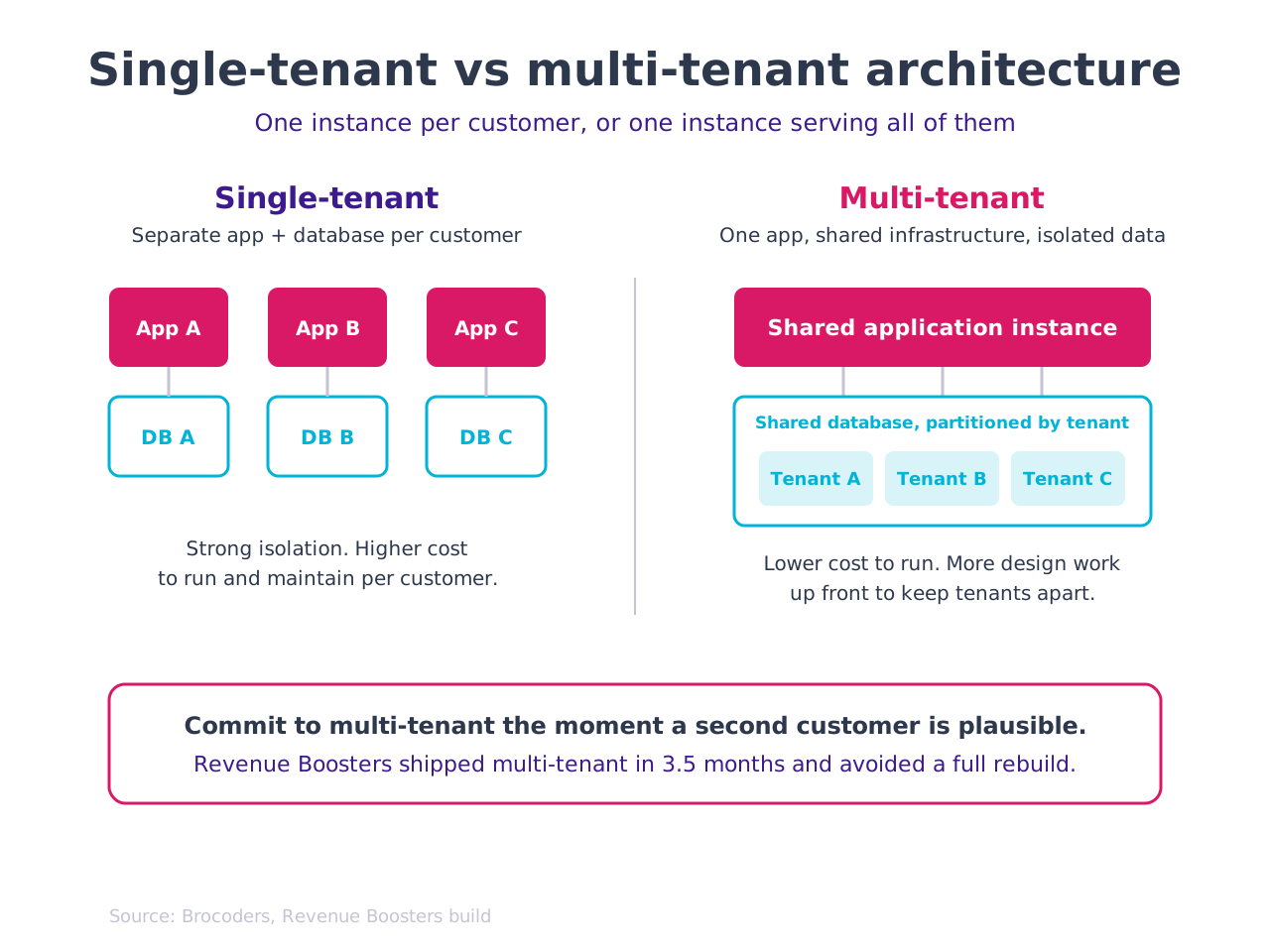
Commit to multi-tenant architecture the moment a second paying customer becomes plausible, not the day they sign. Multi-tenancy means one running instance of your software serves many customers (tenants) while keeping each tenant's data separated. Retrofitting it later usually means rebuilding the core.
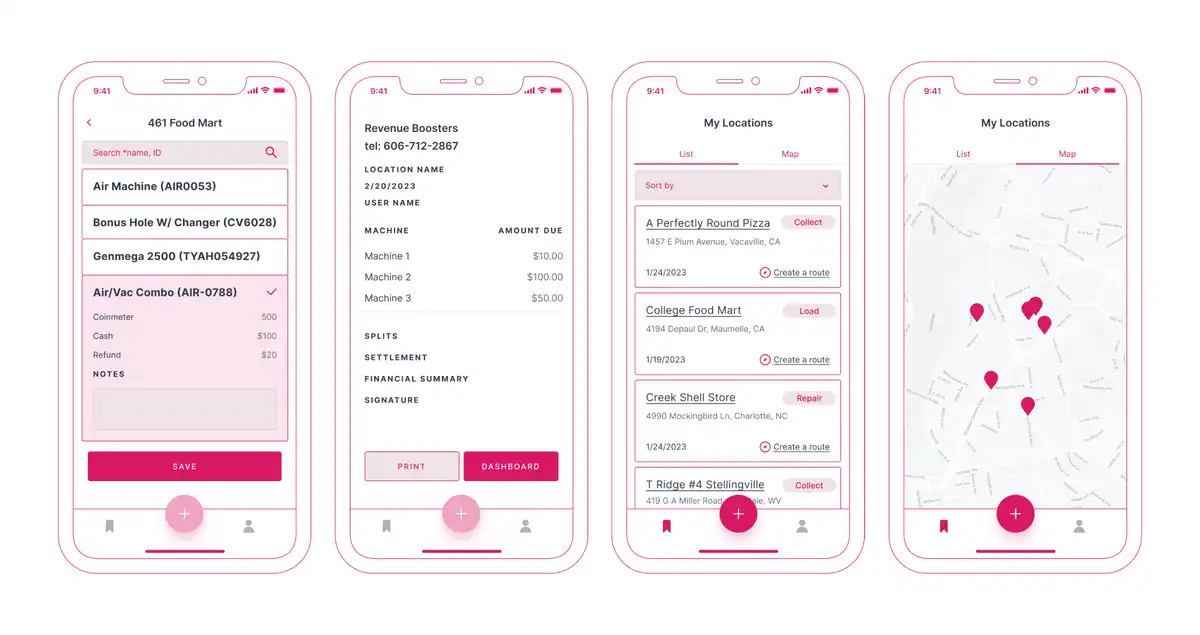
Here's where the call paid off. Revenue Boosters, a Kentucky amusement operator, came to us to replace a route-management system that had stopped working. They wanted an internal tool to track collectors servicing arcade and vending machines and to manage revenue sharing with store owners. An internal tool points toward single-tenant simplicity.
But in the first conversations, their consultant mentioned the software might one day serve other operators in the same business. That was enough. We designed a multi-tenant architecture from day one, so a second operator could be added without touching the core.
The tradeoff is real. Multi-tenancy adds design work up front: tenant isolation, per-tenant configuration, shared infrastructure that still keeps data apart. You pay that cost before you have proof you'll need it.
It was the right cost to pay. We shipped the MVP in 3.5 months with a team of 4, and when Revenue Boosters decided to turn the internal tool into a SaaS product for other amusement operators, the architecture already supported it. No rebuild, no migration scramble. The product grew into the decision we'd made at the start.
The signal to watch for: if anyone on the client side says "other companies could use this too," treat multi-tenancy as the default and design for isolation early.
Decision 2: Build the boring parts, or buy them
Every SaaS platform needs the same unglamorous machinery: sign-up and sign-in, user roles, file uploads, an admin panel, payments. Reuse proven modules for these instead of coding them from scratch. The hours you save go into the features that actually make your product worth paying for.
On Revenue Boosters, the deadline was tight because the client's old system had already failed and their operations were exposed. To move fast without cutting corners on code quality, we built the backend on our own NestJS REST API boilerplate, an open-source starter kit our team maintains with the most-requested features already wired in: authentication, user and admin roles, database integration, file uploads. For the admin side, we used AdminBro, an auto-generated admin panel for Node.js apps, which gave business owners a working dashboard far faster than a hand-built one.
MoolaX, a fintech cash-flow manager we built for a US design-agency founder, made a similar call on a different layer. Rather than build a content backend and a payment system from zero, we integrated Strapi as the backend content layer and Stripe for payments and refunds. Strapi handed the product owner direct control over content, pages, and SEO settings. Stripe handled subscriptions, transaction history, and refunds with reporting built in.
The tradeoff is control versus speed and safety. A boilerplate or third-party module makes some decisions for you, and you live with its conventions. In exchange, you ship sooner and you stand on code that has already been tested by many teams. For the parts of a SaaS platform that every product needs and no customer chooses you for, that trade is almost always worth it.
Decision 3: Architect for the integrations you don't control
A SaaS platform is only as steady as the third-party services it depends on. So design your integration layer assuming those services will change, fail, or rate-limit you, because over a long enough timeline, they will.
EveryPig leans on a web of external systems, and each one shaped the architecture. We connected to Google Maps to track time and distance between farms for shipment scheduling. We pulled barn temperature and water-usage data from BarnTool hardware devices through their API. We built data export to MetaFarms and FAS, the veterinary systems clients used before moving to EveryPig, so their statistics keep flowing daily. Every one of those is a boundary we don't control, and the architecture treats each as a separate, swappable connection rather than a hard dependency baked into the core.
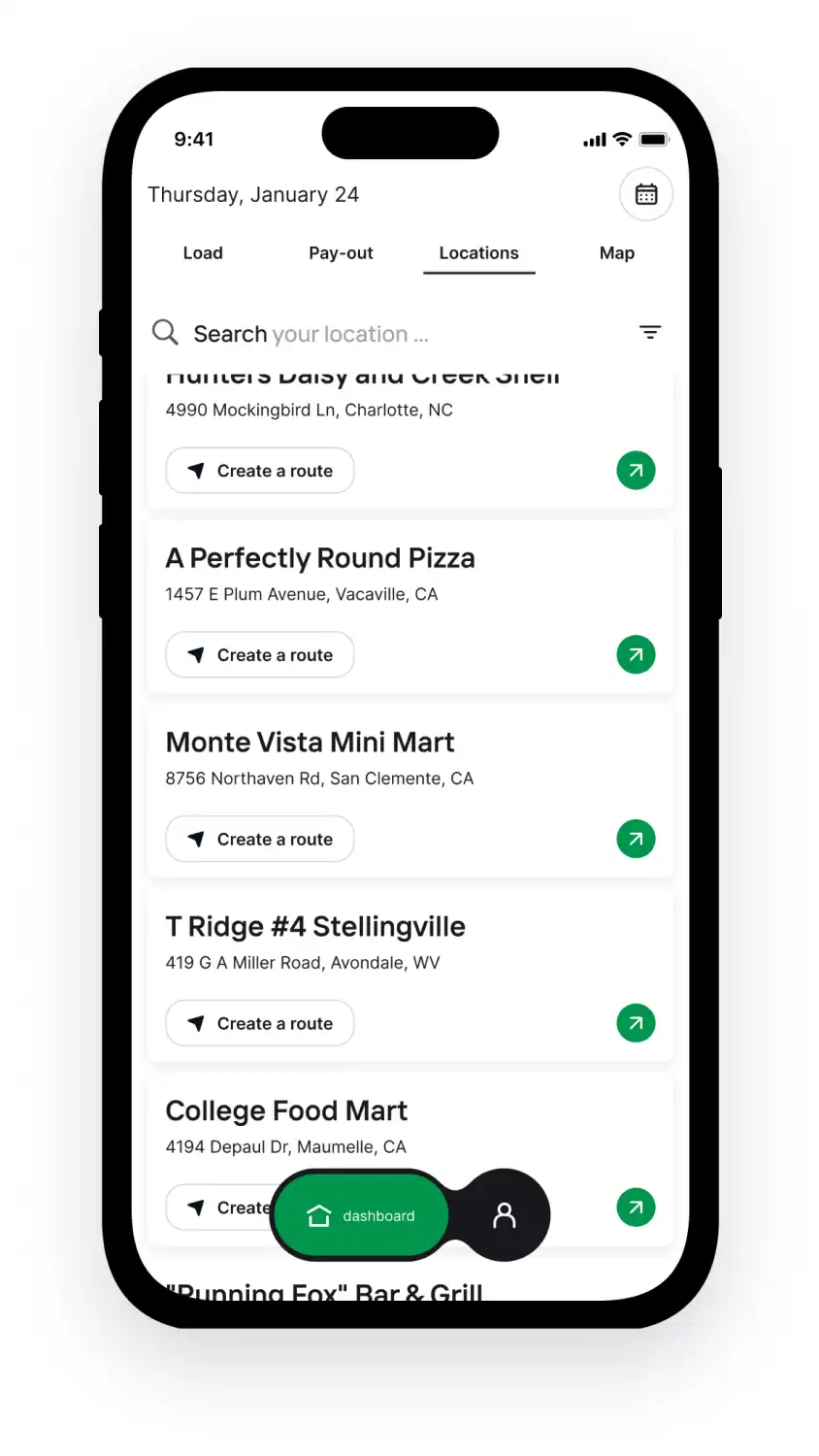
CondoGenie, a condominium management platform we rebuilt for a Canadian client, took the same approach with money. To keep in-app payments steady, we integrated three payment systems: Stripe, Rotesso, and Xero. Using established providers cut development time and cost, since we didn't code payment handling from scratch. The honest part: the integration stage still surfaced plenty of bugs and gaps we had to close before the whole system ran cleanly. Integrations save you build time and hand you a new class of problems to manage. Plan for both.
The decision rule: for any service you don't own, isolate it behind its own boundary so a change on their side is a small fix on yours, not a rewrite.
Decision 4: Design for the network you actually have
Build for the network your users actually have, not the one your office has. Real-time assumptions that hold on office fiber fall apart in a barn, a basement, or a moving vehicle.
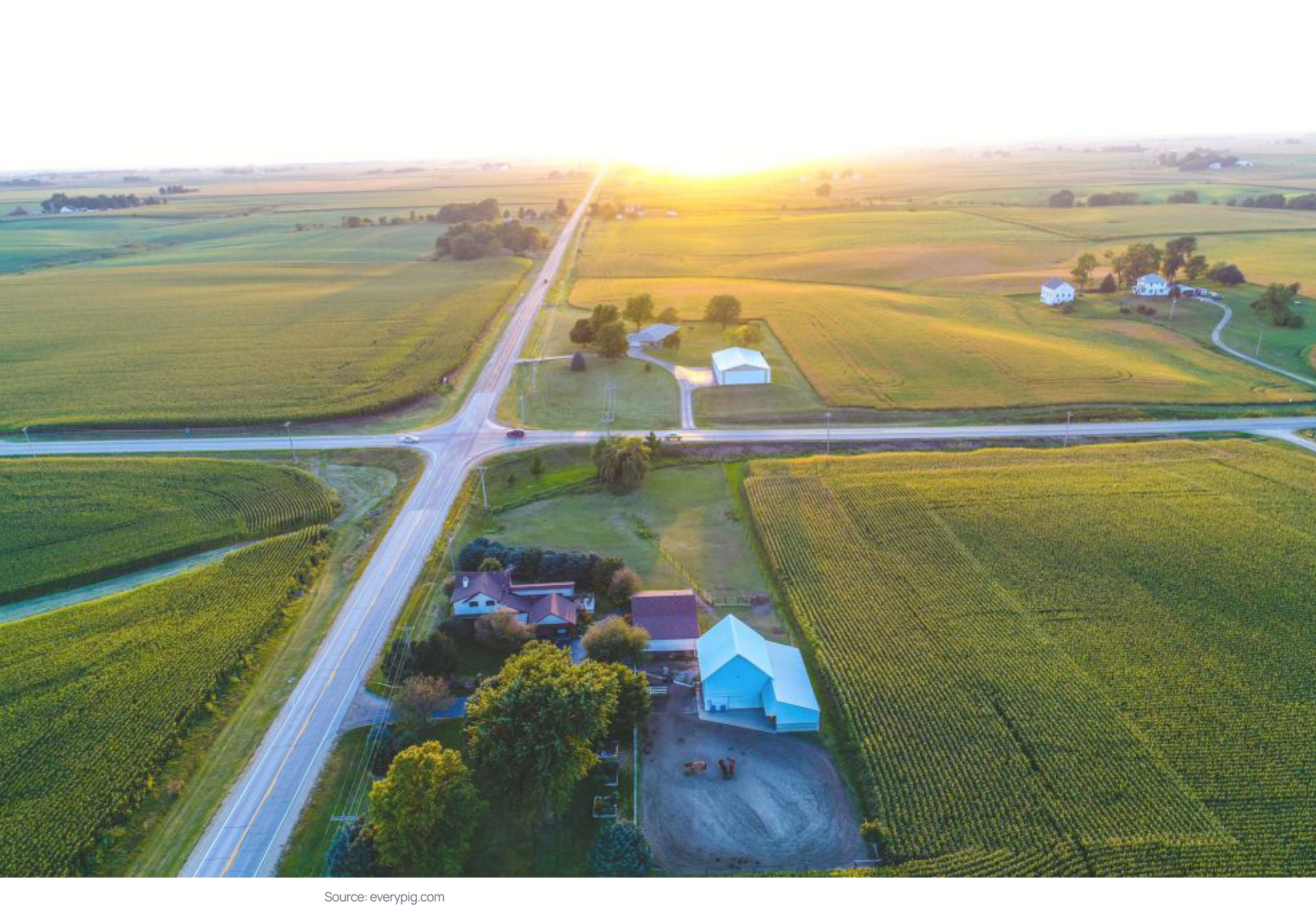
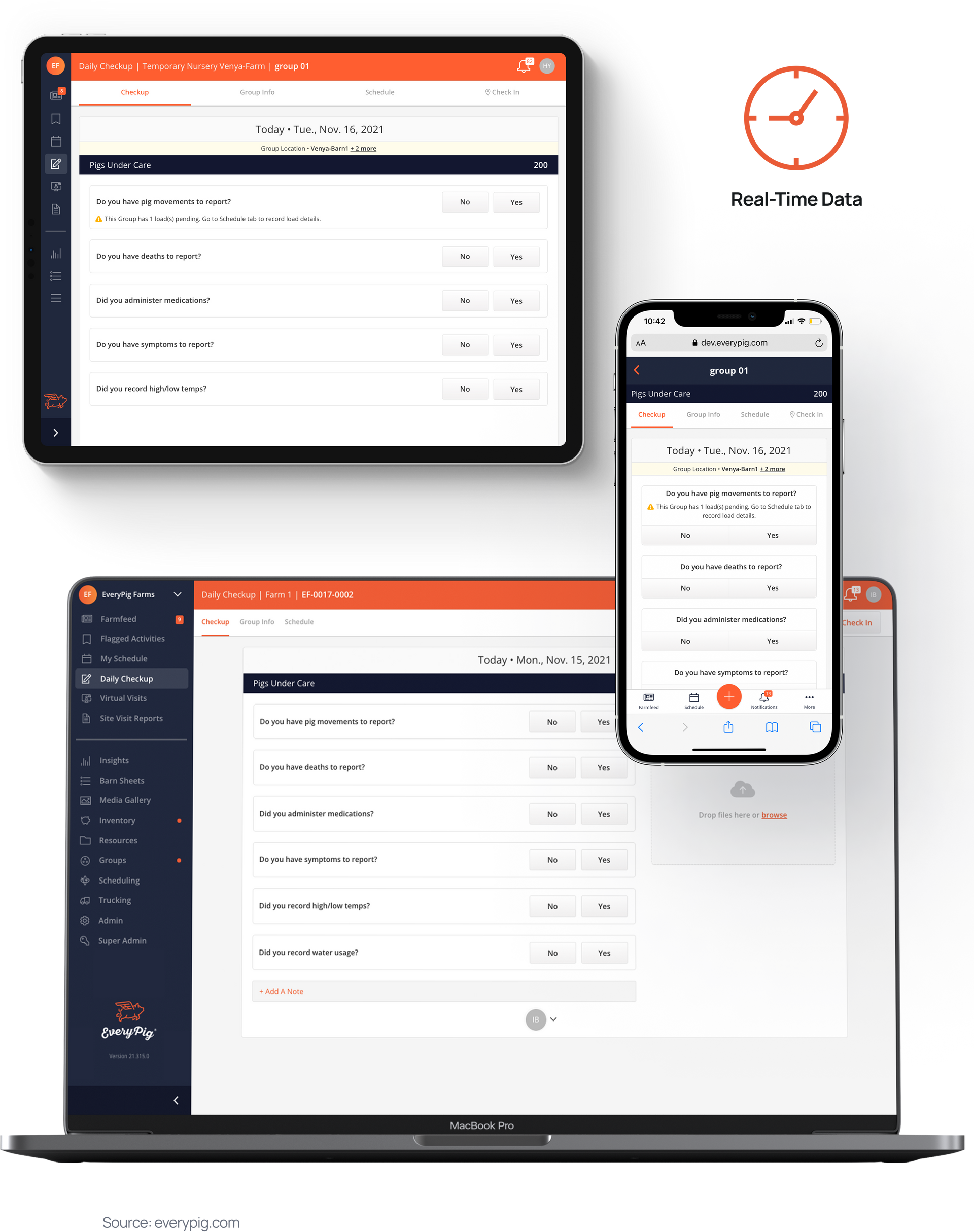
This is the EveryPig lesson in full. Poor cellular coverage is common on US farms, and EveryPig depends on caregivers submitting daily check-ups on time. A platform that needs a stable connection would simply stop working where many of its users stand. So we built an offline mode for the web application. Caregivers can submit a check-up with no stable Wi-Fi or weak cellular signal, and the data syncs when the connection returns.
The time-zone problem came from the same place. Farms spanned multiple US time zones, and a check-up submitted by a caregiver behind the vet's zone was getting logged as the previous day. Our backend developer fixed it by applying a UTC offset and adding per-farm geolocation. When an admin registers a farm, the system recommends the correct time zone for that account. Multi-zone support meant every check-up showed the actual local date, which matters a lot when a vet is deciding how urgent a case is.
Neither feature would appear on a generic architecture checklist. Both were forced by the network and geography of real users, and both became core to how the product works. Today EveryPig runs in 7 languages across three countries, and the offline-first, zone-aware foundation is part of why it travels.
Decision 5: Model roles and data isolation before features
Decide who can see and do what before you build the features themselves. Permission and data-isolation modeling is painful to retrofit once features assume the wrong structure.
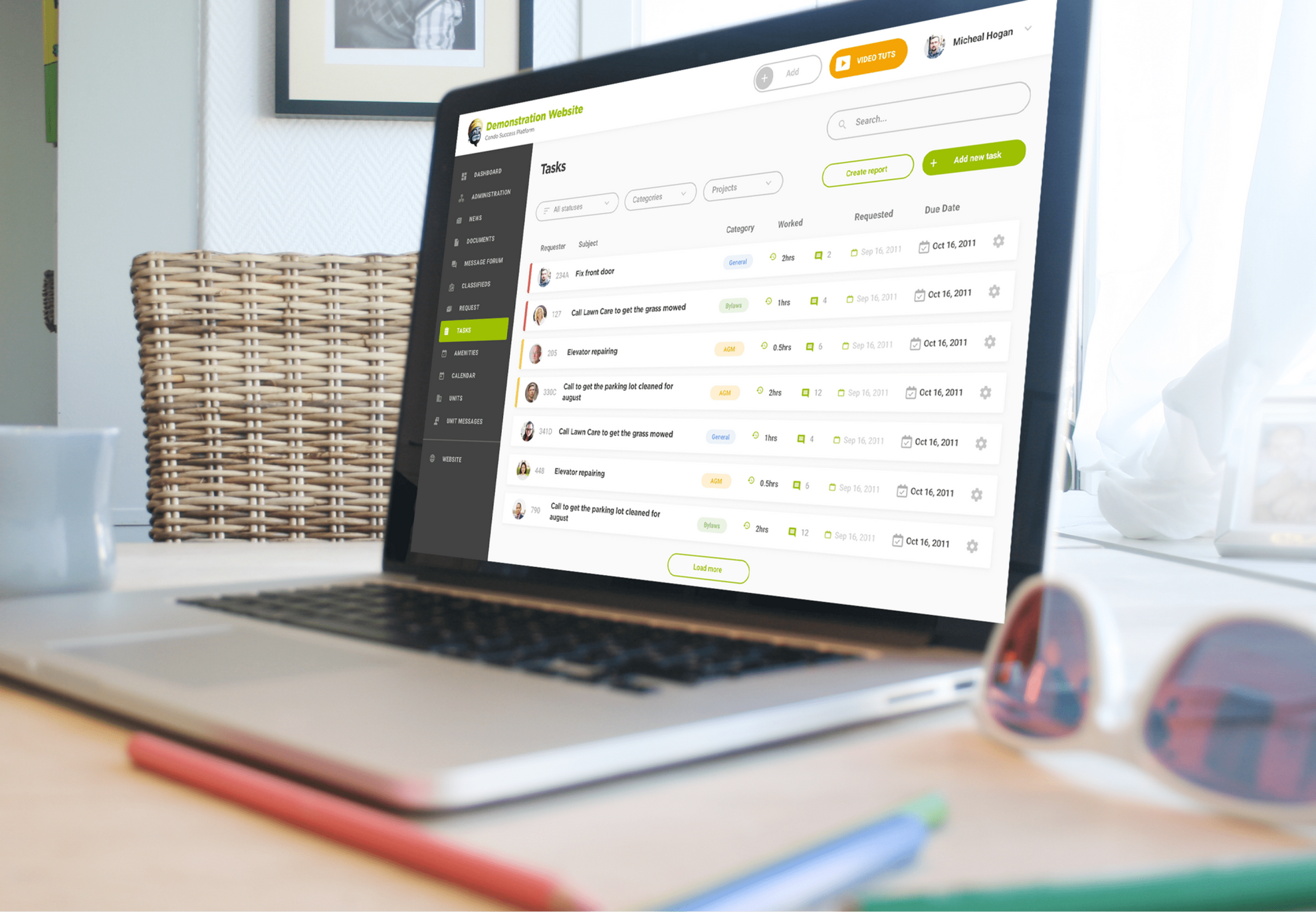
CondoGenie made this concrete. The platform serves condo residents, board directors, and property managers, and those groups need very different access. So before feature work, we split the system into three modules. The Account is a single condominium, one or more buildings under one account, and each condominium can register on its own. The Management Company module manages many accounts at once and can only be added by a super admin. The Super Admin panel was built for the platform owner alone.
That structure decided how every later feature behaved: who can post news, create tasks, book amenities, view resident reports, or send emergency SMS. Because the role model came first, permissions stayed coherent as features piled on.
The payoff shows in the numbers. CondoGenie now now serves over 550 associations and more than 80,000 registered users, with 19,324 active users in 2025, eight years after an 18-month first release. A user base that size with three overlapping roles would be a permanent source of security bugs without the isolation decided early. The tradeoff is that strict modeling up front feels slow when you have two test users and no traffic. It stops feeling slow the first time a property manager almost sees data from an account they don't manage, and the architecture quietly prevents it.
Decision 6: Pick the data architecture the product demands
Match your storage and analytics architecture to the actual shape of your data, not to a default template. A platform built on documents, a platform built on financial events, and a platform built on images each want a different foundation.
MoolaX is a data product wearing a finance app's clothes. Its whole value is turning a freelancer's scattered income and expenses into analytics: top payers by revenue, revenue growth rate, received-versus-incoming payment ratio, expense-to-revenue ratio, and more. That meant the architecture had to treat analytics as a first-class layer, not a reporting afterthought, with the data modeled so those calculations stay fast as a user's history grows. We built it on a Next.js and Node.js stack with that analytics layer at the center, and 100+ users joined the launch waitlist in the first 2 weeks, a strong signal the data-first framing matched real demand.
EveryPig sits at the other end of the spectrum. Its cloud storage now holds over 1 million images from farms, and those images feed an AI module that predicts mortality and flags disease outbreaks. That volume of media plus a machine-learning consumer demands a storage and pipeline design built for large binary assets and downstream model access, which looks nothing like MoolaX's transaction store.
Same goal, two different foundations, because the data was different. Decide what your data actually is before you commit to how you'll store and serve it.
The playbook: a 6-question architecture checklist
Run your own SaaS plan through these six questions before you write much code. Each maps to one decision above, and each answer points you toward an architecture choice.
- Could a second customer ever use this software? If plausibly yes, design multi-tenant now.
- Which parts are undifferentiated machinery (auth, roles, payments, admin)? Buy or reuse those, and spend your build budget on what makes the product yours.
- Which third-party services do you depend on, and what happens when one changes? Isolate each behind its own boundary.
- What does the network and environment look like where users actually work? If it's unreliable, design offline-first and account for time zones and location early.
- Who are your user roles, and what must each be prevented from seeing? Model permissions and data isolation before features.
- What is your data, really, documents, financial events, or media? Pick the storage and analytics foundation that fits its shape.
If you can answer all six with conviction, you have an architecture. If you can't, that's where the risk lives.
We make these calls for a living. Here in Brocoders we've built SaaS platforms across fintech, proptech, agritech, logistics, and healthtech, and our SaaS development and MVP development teams can help you make them on your own product. Schedule a call to talk through the constraints that should shape your architecture.
Frequently Asked Questions
Multi-tenant architecture means a single running instance of your software serves many customers, called tenants, while keeping each tenant's data logically separated. It lowers infrastructure and operational cost because you run and maintain one system instead of one per customer. The tradeoff is more design work up front to keep tenant data isolated and configurable. Most SaaS products use it as the default model.
Start multi-tenant the moment a second paying customer is plausible, even if you only have one today. Retrofitting multi-tenancy after features assume a single tenant usually means rebuilding the core. On Revenue Boosters we designed multi-tenant from day one based only on the client mentioning other operators might use it, and that choice let the internal tool become a SaaS product with no rebuild. If the software is truly for one organization forever, single-tenant is simpler and fine.
The recurring patterns are multi-tenancy for serving many customers from one system, a modular or service-based backend for separating concerns, stateless APIs that are easier to run across multiple servers, and isolated integration boundaries for third-party services. Around these sit caching, role-based access control, and a storage layer chosen to fit the data. The pattern that matters most depends on your specific constraints, not on a universal ranking.
Treat every service you don't control as a separate, swappable boundary rather than a hard dependency baked into your core. That way a change, outage, or rate limit on their side becomes a small contained fix on yours. On EveryPig we connected Google Maps, the BarnTool hardware API, and exports to MetaFarms and FAS, each as its own isolated connection. Expect integration work to save build time and to surface its own bugs, and plan for both.
A useful diagram shows the frontend, backend services, the database and storage layer, third-party integrations as distinct boundaries, and how tenants are separated in a multi-tenant setup. It should also make data flow visible, including where caching and authentication sit. The goal is to show decisions and boundaries, not just boxes, so anyone reading it can see where the system is coupled and where it can flex.
A focused MVP can ship in roughly 3 to 4 months. We delivered the Revenue Boosters route-management MVP in 3.5 months with a team of 4 by reusing proven backend modules. A larger platform with complex roles and migrations takes longer, CondoGenie ran about 18 months to its first release and has grown to more than 80,000 registered users across three role types. The range depends on scope, the number of integrations, and how much of the undifferentiated machinery you reuse versus build.